


In this article
- What Are Google Business Profile Categories?
- What Is the Difference Between Primary and Secondary Categories?
- How to Choose the Right Google Business Profile Categories
- How Do Google Business Profile Categories Affect Local Rankings?
- How to Change Your Google Business Profile Category
- Common Google Business Profile Category Mistakes to Avoid
- What If Your Preferred Google Business Profile Category Is Not Available?
- How to Check Whether Your Categories Are Working
- Conclusion
Imagine you run a small plumbing company in Houston. You offer drain cleaning, water heater repairs, and emergency plumbing services, but your business isn’t showing up for some of the searches you’d expect. The problem might be how Google understands your business. Choosing the right Google Business Profile categories helps Google connect your company with people looking for the services you provide. It sounds simple, but picking the wrong category can affect which searches your listing appears for. If you’re unsure whether your profile is set up correctly, professional Google Business Profile Services can help you review it. Before making changes, though, it helps to understand what categories do and how to choose the ones that actually fit your business.
What Are Google Business Profile Categories?
Google Business Profile categories describe the type of business you operate. They help Google understand what your company does and which local searches might be relevant to it. For example, a business categorized as a pizza restaurant may appear when someone searches for pizza or restaurants nearby. Categories also help customers understand your business before visiting your website. Google provides a list of available categories, and you must choose from those options rather than creating your own. The important thing is to describe what your business actually is, not every product or service it offers. A plumbing company, for instance, should select a category that represents its main business rather than adding unrelated categories simply to reach more people.
What Is the Difference Between Primary and Secondary Categories?
Your Google Business Profile primary category describes the main activity of your business. It’s the category that best answers the question, “What kind of business is this?” If you operate a bakery that mainly sells bread and pastries, your primary category should reflect that. Google also allows up to nine additional categories for other relevant business activities. These Google Business Profile secondary categories can provide more information about what you do, but you don’t have to use every available option. A grocery store with its own bakery and deli, for example, may qualify for those additional categories. The goal is to describe your business accurately rather than select categories for every individual product. A few relevant choices are better than a long list that doesn’t reflect your work.
How to Choose the Right Google Business Profile Categories
Identify Your Main Business Activity
Before opening your profile settings, think about what your business is known for. What is the main reason customers contact or visit you? Which service makes up the largest or most important part of your work? These questions can help narrow down your Google Business Profile category selection. For example, a company specializing in residential plumbing should start with a plumbing-related category rather than choosing a general contractor category simply because it also performs installations. Be specific where an accurate option exists. Google recommends choosing the category that best describes your business instead of selecting something unnecessarily broad. If you’re unsure, look at your main services, website, and the way you describe your company to customers.
Research Available Categories and Local Competitors
Once you understand your main business activity, search for suitable categories in your Google Business Profile settings. Google suggests available options as you type, so you can compare them before making a selection. You can also look at nearby businesses offering similar services to understand how they describe themselves. However, don’t copy a competitor’s categories without checking whether they fit your business. A company that offers several services may operate differently from yours, even if its website looks similar. Google Maps business categories should reflect real business activities, not just popular search terms. If you’re comparing options, ask whether a customer would consider each category an accurate description of your company. That question is often more useful than chasing whatever category a competitor appears to be using.
Choose Additional Categories That Match Your Services
Additional Google Business Profile categories are useful when your business genuinely operates in more than one relevant area. For example, a business that provides both residential and commercial cleaning may find more than one suitable category available. However, offering a service doesn’t always mean you need another category for it. Google recommends using only the categories necessary to describe your overall business. If you provide appliance installation as part of a broader repair service, you may be able to explain that through your service details instead of adding another business category. Review each option carefully before saving it. If a category doesn’t accurately describe something your business is, leave it out. Selecting more categories isn’t a guaranteed way to appear in more searches.
How Do Google Business Profile Categories Affect Local Rankings?
Categories are important because they help Google decide whether your business is relevant to someone’s search. But relevance is only one part of local rankings. Google also considers distance, which relates to how close your business is to the searcher, and prominence, which reflects how well-known your business is. Reviews and links from other websites can contribute to prominence. This means Google Business Profile category optimization can help your listing better match relevant searches, but it cannot guarantee a top position on Google Maps. A business with accurate categories may still rank below a competitor because of location or other factors. Focus on choosing categories that describe your business correctly rather than treating them as a shortcut to better rankings.
How to Change Your Google Business Profile Category
If your current category doesn’t accurately represent your business, you can update it through your profile. Sign in to the account that manages your listing and open your Business Profile. Select Edit profile, find Business category, and choose the edit option. You can then search for a more suitable primary category or add and remove secondary categories. Once you’ve made the necessary changes, save them and check whether Google has accepted the update. In some cases, changing categories may require another business verification. Avoid repeatedly switching categories just to test different keywords. Make changes when your business information needs correcting or your services have genuinely changed, then give yourself time to review the results.
Common Google Business Profile Category Mistakes to Avoid
One of the biggest Google Business Profile category mistakes is choosing categories based only on the searches you want to appear for. For example, a general cleaning company shouldn’t select an unrelated specialty category simply because it thinks the keyword has more potential customers. Another mistake is choosing a category that’s too broad when a more accurate option exists. Some owners also add every possible secondary category, assuming more options automatically mean better visibility. They don’t. Google recommends using the fewest categories needed to describe the business. Be careful when reviewing competitors as well. Their categories may not reflect your services, and copying them could make your listing less accurate. A good rule is to choose categories that make sense to customers who already understand what your company does.
What If Your Preferred Google Business Profile Category Is Not Available?
Sometimes, you may search for a specific category and discover that Google doesn’t offer it. This is especially common for businesses providing specialized services. If your preferred Google Business Profile category is not available, choose the closest general category that accurately describes your business. Google doesn’t allow businesses to create custom categories, so adding an unrelated option isn’t a solution. Instead, use the services and business description sections to explain your work more clearly. For example, a contractor offering a specialized repair service can describe that service on the profile and website even if there isn’t a matching category. The important thing is to avoid misleading customers just to include a particular keyword.
How to Check Whether Your Categories Are Working
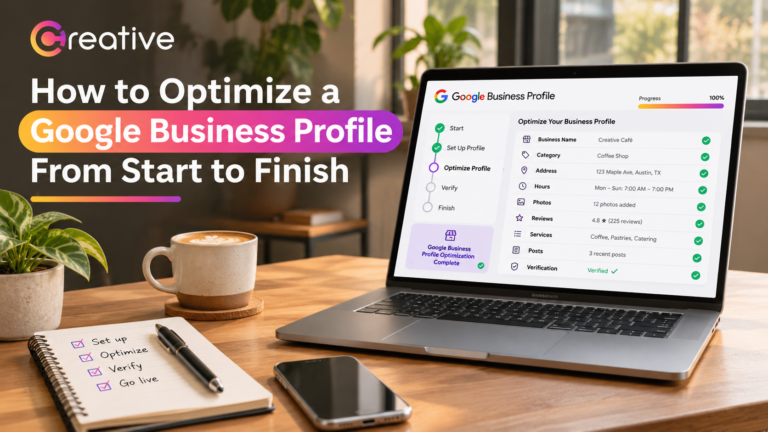
After updating your categories, review how customers are finding and interacting with your profile. Google Business Profile performance reports can show search terms, website clicks, calls, and direction requests where those measurements are available. Look for changes over time rather than expecting an immediate ranking improvement. Remember that a call-button click doesn’t necessarily mean someone completed a call or booked a service. Compare profile activity with actual customer inquiries whenever possible. Categories are also only one part of maintaining an effective listing. Our guide, How to Optimize a Google Business Profile From Start to Finish, explains how business information, photos, reviews, and other details fit into a complete optimization process. Reviewing these areas together gives you a clearer picture of what’s working.
Conclusion
Choosing the right categories starts with understanding your own business. Think about what customers hire you for, select the most accurate primary category, and add secondary categories only when they genuinely describe other parts of your work. You don’t need to use every available option or copy whatever your competitors have selected. Keep your categories accurate as your business changes, and check performance alongside actual inquiries rather than focusing only on rankings. If you’re unsure where to begin, Creative Solutionss can help review your profile and identify areas that need attention. The goal isn’t to make your business appear under every possible category. It’s to help the right customers understand what you offer and find you when they need your services.