
In this article
Think about how you choose a business you’ve never visited before. You probably check its location, hours, photos, and customer reviews before calling or driving over. Your customers do the same. If your business information is missing or outdated, they may move on to someone else. That’s why learning how to optimize Google Business Profile is worth your time. A well-maintained listing helps people understand what you offer and how to reach you. If you need help getting everything right, professional Google Business Profile services can make the process easier. But whether you manage your listing yourself or get support, the steps below will help you build a profile that customers can actually use.
What Is Google Business Profile Optimization?
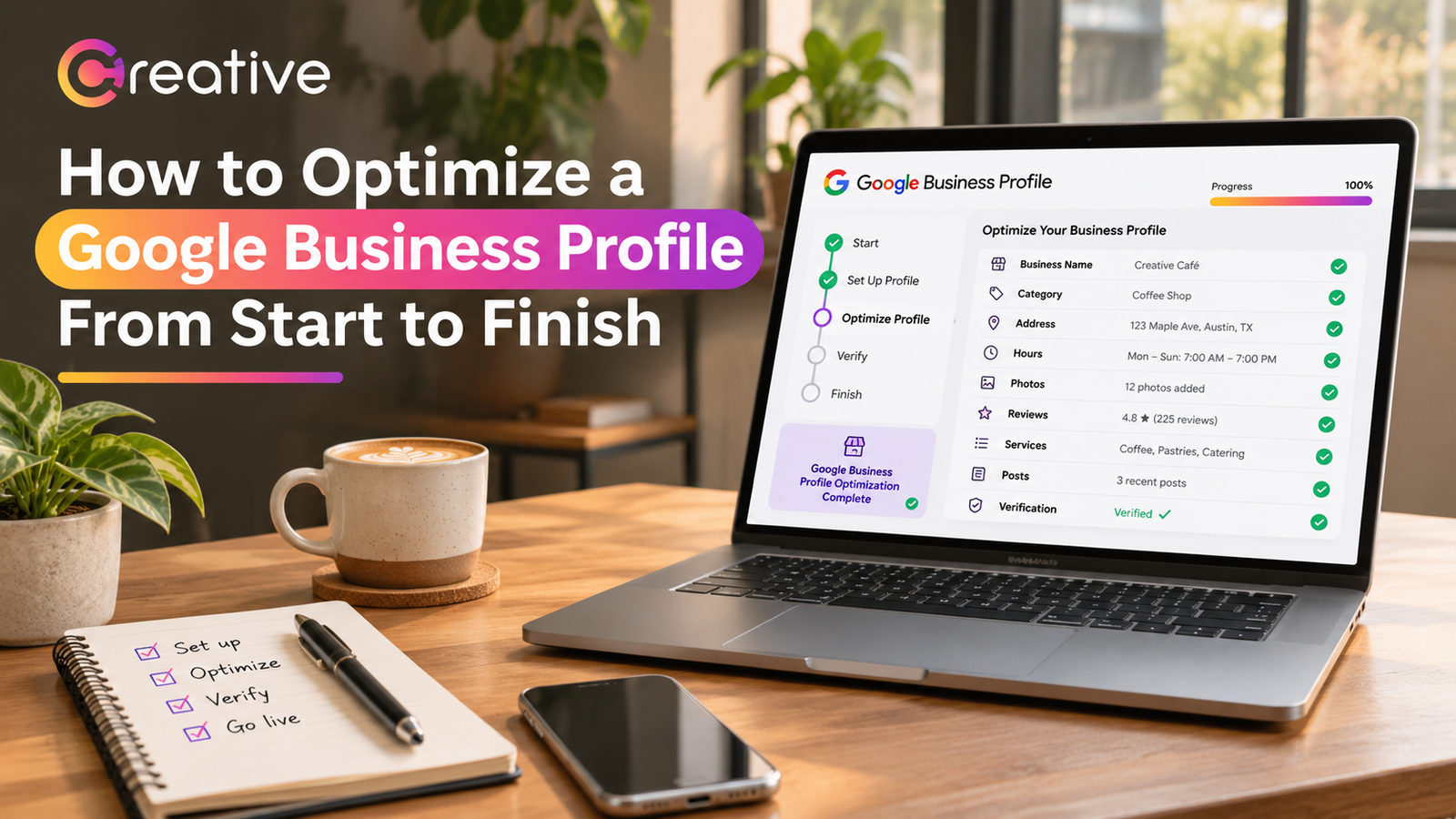
Google Business Profile optimization means improving the information people see about your business on Google Search and Maps. Your profile can show your business name, address, phone number, hours, services, photos, and customer reviews. The goal is to make this information accurate, complete, and helpful. For example, a customer looking for a nearby electrician should be able to tell whether you provide the service they need and how to contact you. Google also uses business information to understand which searches your company may be relevant for. However, completing every section doesn’t guarantee a top ranking. Good Google Business Profile SEO starts with giving customers useful information rather than trying to fill your listing with keywords.
How to Optimize Google Business Profile: Step-by-Step Guide
1. Claim and Verify Your Google Business Profile
Before making changes, search for your business on Google to see whether a listing already exists. If you find one, claim it rather than creating another profile. If someone else manages it, request access. For a new business, follow Google’s setup process and enter your real business information. You’ll then need to complete Google Business Profile verification using one of the methods Google makes available. This could involve a video, phone, email, or another verification option. Follow the instructions carefully and allow time for review. Once verified, check that the profile accurately represents your business. Verification helps establish ownership, but it doesn’t automatically place your listing above competitors in local search results.
2. Choose the Right Business Categories
Google Business Profile categories tell Google what kind of business you operate. Choosing the correct primary category is important because it describes your main activity. For example, if you run a plumbing company, choose the category that most accurately represents your work instead of selecting a broad category that doesn’t explain what you do. You can add relevant secondary categories when your business genuinely offers those services. Avoid selecting unrelated categories just because you think they might bring more visitors. Your categories should reflect your actual business, not every search you’d like to appear in. Review them when your services change, but don’t keep switching categories without a reason. Accuracy is more useful than trying to cover every possible search.
3. Complete Your Business Information and Service Areas
Customers shouldn’t have to visit several websites to find your phone number or working hours. Make sure your business name, address, website, and contact details are correct. If customers visit your location, check that the map pin points to the right entrance. For businesses that travel to customers, such as plumbers or cleaning companies, set up the appropriate service area. If you don’t receive customers at your business address, hide that address according to Google’s guidelines. Also, check your regular hours and update them during holidays or special closures. These details may seem small, but they’re often what customers need most. A complete profile makes it easier for someone to decide whether your business is the right choice.
4. Write a Clear Google Business Profile Description
Your Google Business Profile description is a chance to explain what you do without making customers guess. Google allows up to 750 characters, so focus on the information that matters. Start with your main services, mention what makes your business useful, and explain any relevant specialties. For example, a roofing contractor could describe residential roof repairs, inspections, and replacement services. Keep the wording natural and easy to understand. Avoid stuffing the description with phrases such as “best roofing company near me” or repeating your city name. You should also leave out promotional prices, website links, and unnecessary sales language. A good description should sound like a business owner explaining their work, not an advertisement written for search engines.
5. Add Useful Photos, Services, and Business Updates
Photos help customers get a better idea of your business before contacting you. A restaurant might show its dining area and dishes, while a contractor could share clear pictures of completed projects. Use genuine images that accurately represent your work rather than relying on generic stock photography. You should also add the services you offer, with descriptions and pricing information where appropriate. Google Business Profile photos and service details help customers understand what to expect. You can use business posts to share relevant announcements, events, or updates when there’s something worth communicating. However, uploading photos or posting every day doesn’t guarantee better rankings. Focus on information customers would genuinely find helpful.
6. Encourage Genuine Customer Reviews
Reviews often influence whether someone contacts a business for the first time. A customer comparing two nearby repair companies may read several reviews before making a decision. That’s why Google Business Profile reviews deserve regular attention. After completing a job, you can ask customers to share honest feedback using a review link or QR code. Make the request simple, and don’t pressure anyone to leave a positive rating. Google prohibits offering rewards in exchange for reviews or selectively requesting only favorable feedback. Respond professionally when customers share their experiences, including complaints. A thoughtful response shows that you take customer concerns seriously. Reviews can also contribute to local prominence, although no particular review count guarantees a higher position.
Common Google Business Profile Optimization Mistakes to Avoid
Some business owners try to improve their Google Business Profile ranking by adding extra keywords to their business names or creating several listings for different neighborhoods. These approaches can violate Google’s guidelines and create problems instead of improving visibility. Other mistakes are more ordinary, such as forgetting to update holiday hours, selecting inaccurate categories, or leaving outdated phone numbers online. Duplicate listings can also confuse customers and make profile management harder. Another common mistake is treating the profile as finished immediately after verification. Business details change, and customers need current information. Following Google Business Profile best practices means using your real business details, keeping your listing accurate, and avoiding shortcuts that promise guaranteed rankings.
How to Track Google Business Profile Performance
Once you’ve updated your listing, you’ll want to know whether the work is making a difference. Google Business Profile performance reports can show how people interact with your profile, including website clicks, call-button clicks, and direction requests. These numbers are useful, but they don’t tell the whole story. Someone tapping your phone number doesn’t necessarily mean they completed a call or booked a service. Compare your profile activity with actual inquiries, appointments, and sales whenever reliable tracking is available. Review the information over time rather than judging success after a few days. Google Maps optimization should help customers find and contact your business, so meaningful customer activity matters more than simply collecting profile views.
How Often Should You Update Your Google Business Profile?
You don’t need to change something on your profile every day to keep it useful. Instead, review the information regularly and update it whenever something important changes. Check your hours before holidays, add new services when you start offering them, and replace outdated photographs when they no longer represent your business. Customer reviews also deserve attention, especially when someone raises a concern that needs a response. If you move, change your phone number, or adjust your service area, update the relevant details promptly. Good Google Business Profile management is about keeping information reliable over time. A simple monthly review, along with updates whenever business details change, can help you catch problems before customers encounter them.
Conclusion
Optimizing your business profile isn’t about finding a trick that puts you at the top of Google Maps. It’s about making sure people can find accurate information, understand your services, and contact you without difficulty. Start by claiming your listing, completing verification, choosing suitable categories, and reviewing your contact details. Then improve your description, add helpful photos, and pay attention to customer feedback. Keep checking your profile as your business changes. If managing everything feels difficult alongside your daily responsibilities, Creative Solutionss can help you identify what needs improvement and keep your local presence organized. The goal is straightforward: make it easier for nearby customers to find a business they can trust.